Power Generator
The Power Generator is a versatile node that allows you to model localized electrical power production. Whether you are generating renewable energy to offset utility costs or relying on combustion generators for backup or prime power, this component provides the flexibility to simulate a wide range of generation assets.
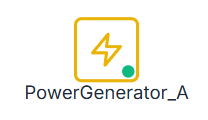
Unlike the Utility Grid, which acts as an infinite source of power, Power Generators have specific capacities, efficiencies, and resource constraints (such as weather or physical fuel).
UI Workflow and Configuration
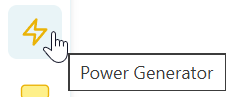
To add a Power Generator to your model, select the lightning bolt icon from the Component Toolbar and drag it onto the canvas.
Once placed on the canvas, the node visually indicates its status during a simulation. A green indicator dot means the generator is active and producing power.
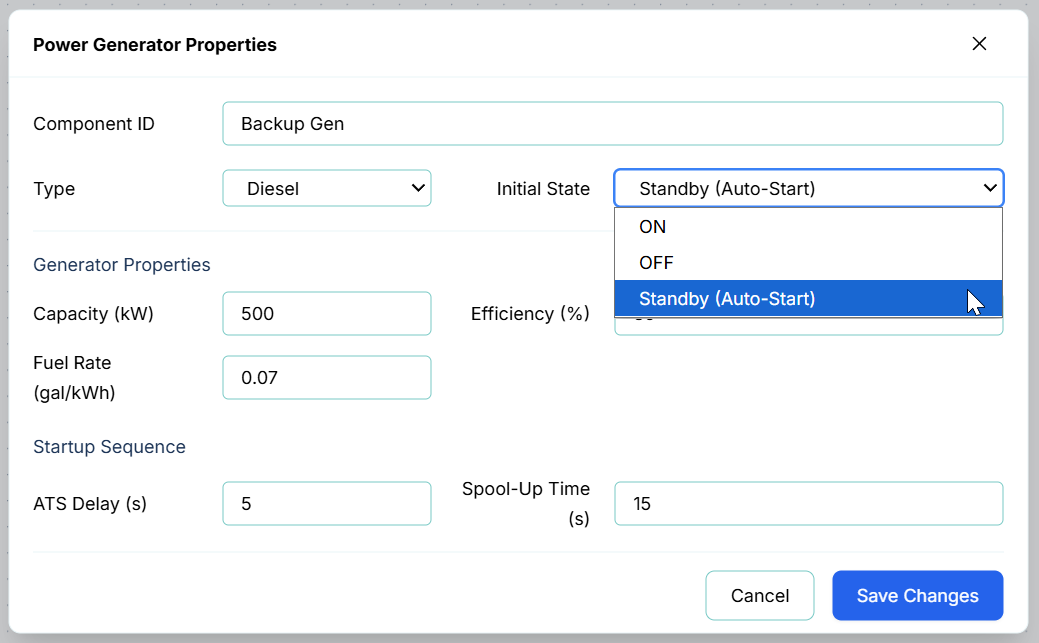
Double-click or right-click the node and select Properties to open the configuration dialog.

Generator Types and Parameters
Because power generation varies drastically depending on the energy source, R-THYM dynamically changes the available properties based on the Type you select from the dropdown.

Solar Generation
Solar generators rely on the ambient weather data (solar irradiance) defined in your project settings.
- Panel Area (m²): The total physical surface area of the solar array.
- Efficiency (%): The conversion efficiency of the photovoltaic panels.
- Mounting Type:
- Fixed (Horizontal): Panels are laid flat.
- Fixed (Optimal Tilt): Panels are permanently tilted to the optimal angle for your latitude.
- Tracking (Dual Axis): Panels actively track the sun across the sky, maximizing energy capture throughout the day.
Wind Generation
Wind generators rely on the ambient wind speed data defined in your project settings.
- Turbine Count: The number of identical wind turbines in this array.
- Rotor Diameter (m): The diameter of the swept area of the turbine blades.
- Efficiency (%): The overall aerodynamic and electrical efficiency of the turbine.

Hydropower Generation
This represents a standalone, disconnected hydropower generator used for high-level energy estimation.
- Turbine Cap. (kW): The maximum rated power of the generator.
- TDH (ft): Total Dynamic Head available to the turbine.
- Efficiency (%): The water-to-wire efficiency of the system.

[!NOTE] This specific Generator Type models constant power generation based on assumed head and flow. If you want a generator that physically interacts with the changing pressures and flows of your modeled pipe network, you should instead add a Hydropower Turbine Node from the Hydraulic Component Toolbar.
Combustion Generators (Natural Gas, Diesel, Propane, Biogas)
These generators rely on physical fuel to operate. They must be connected to a Fuel Tank via a Fuel Link if you wish to track fuel consumption, tank levels, and fuel costs accurately.
- Initial State: Sets the generator's behavior at the start of the simulation:
- ON: Begins active and produces power.
- OFF: Remains inactive unless triggered by a Control Link.
- Standby (Auto-Start): An automated resilience mode. The generator monitors its electrical path; if it detects that all other active power sources on that same path have shut off (simulating a power outage), the generator triggers ON automatically.
- Capacity (kW): The maximum rated power output of the generator engine.
- Efficiency (%): The thermal-to-electrical efficiency of the engine.
- Fuel Rate: The rate at which the engine consumes fuel per kW of power generated.
- Startup Sequence:
- ATS Delay (sec): The Automatic Transfer Switch delay before the engine receives the start signal.
- Spool-Up Time (sec): The time it takes for the engine to reach operating RPM and voltage before it can accept electrical load.
Power Connectivity
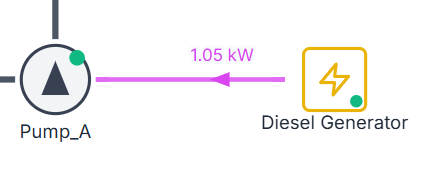
Just like the Utility Grid, a Power Generator must be explicitly connected to your system using a Power Link (the purple connector).
You can route the generated power to:
- Energy Storage (Batteries): To save excess renewable energy for later use.
- Pumps / Equipment: To directly power your hydraulic operations.
- Utility Grid: To export excess energy back to the municipality for revenue (if "Allow Export" is enabled on the Grid node).
Live Telemetry
Left-clicking a Power Generator on the canvas reveals its performance data in the right-hand Telemetry Panel.
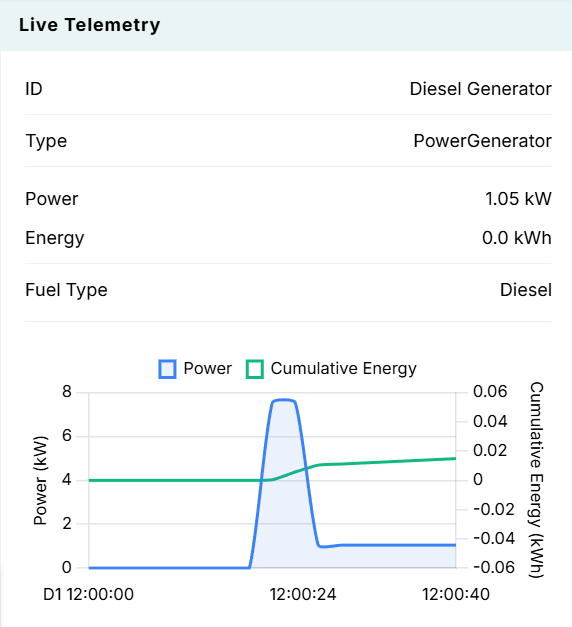
The panel tracks:
- Instantaneous Power (kW): The real-time electrical output. For solar/wind, this will fluctuate wildly based on the weather. For combustion generators, this will spike when a connected pump turns on.
- Energy (kWh): The cumulative energy generated over the simulation period.
- Fuel Type: If a combustion generator is used, it displays the active fuel type being consumed.
- Dynamic Charts: Visualizes the Power output alongside the cumulative Energy over time. In the screenshot above, you can see a Diesel Generator spooling up, running a pump load for a short duration, and then shutting down.