Fuel Tank
The Fuel Tank is a vital component for modeling combustion generators (such as Diesel, Natural Gas, Propane, or Biogas generators). Its primary purpose is to keep track of your physical fuel inventory, calculate fuel usage rates, and determine the operational costs associated with refilling the tank.

If your generator runs out of fuel, it will physically shut down, which can lead to catastrophic system failures if it was powering critical pumps. The Fuel Tank allows you to model these logistical constraints accurately.
UI Workflow and Configuration
To add a Fuel Tank to your model, select its icon from the Component Toolbar and drag it onto the canvas.
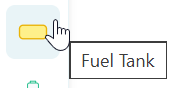
Once placed on the canvas, you can connect the Fuel Tank to your combustion generator using a Fuel Link (the yellow connector).
To configure the tank's parameters, double-click the icon or right-click the node and select Properties.

Key Properties
- Component ID: A unique string identifier for the tank (e.g.,
FuelTank_A). - Fuel Type: The physical substance stored in the tank (Diesel, Natural Gas, Propane, Biogas).
- Capacity: The maximum physical volume the tank can hold.
- Initial Level (%): How full the tank is at the start of the simulation.
[!WARNING] Strict Fuel Matching The Fuel Type selected in the Fuel Tank properties must perfectly match the type expected by the connected Power Generator. If you attempt to feed a Diesel Generator with a Propane Fuel Tank, the generator will recognize the mismatch and will not power on!
Refill Mechanics and Thresholds
Fuel tanks are not infinite. R-THYM provides two ways to manage refilling:
- Automatic Refills: In the properties dialog, you can define an Auto-Refill At (%) threshold. If this is set to 0%, the simulation will automatically trigger a full refill the exact moment the tank drops to empty. You can set this higher (e.g., 10%) to simulate a fuel delivery contract that tops off the tank before it runs completely dry.
- Manual Refills: You can interactively refill the tank during an active simulation by clicking the small Recycle Button located in the top-right corner of the Fuel Tank icon on the canvas.
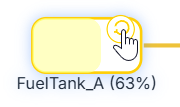
Every time the tank is refilled (either automatically or manually), R-THYM records a refill event and calculates the financial cost based on the global Fuel Rates set in your project's Data Menu.
Live Telemetry
Left-clicking a Fuel Tank on the canvas during a simulation reveals its active metrics in the right-hand Telemetry Panel.
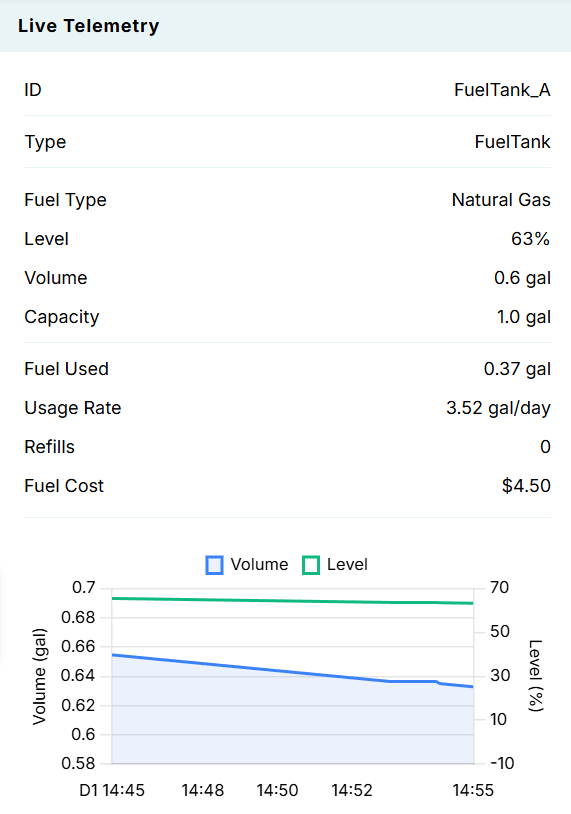
The panel tracks:
- Active State: The current Level (%) and remaining Volume of fuel inside the tank.
- Consumption: The total Fuel Used and the instantaneous Usage Rate drawn by the connected generator.
- Financials: The total number of Refills that have occurred and the cumulative Fuel Cost incurred during the simulation run.
- Dynamic Charts: A visual representation of the Volume and Level dropping over time as the generator consumes fuel, punctuated by sharp vertical spikes whenever a refill occurs.