Junction Node
The Junction is the most fundamental topological element in your hydraulic network. It serves as a connection point where two or more pipes meet, where pipe characteristics change (e.g., diameter or material), or where elevation changes occur.
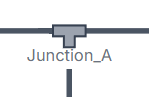
In the physics engine, a junction is the primary location where the continuity equation is enforced: the sum of all flows entering the junction must exactly equal the sum of all flows leaving it.
UI Workflow and Configuration
To add a Junction to your model, select its icon from the Component Toolbar and drag it onto the canvas.

Unlike pumps or valves, junctions are entirely passive and have no inherent flow direction—water can flow into or out of a junction through any connected pipe depending entirely on the surrounding hydraulic grade lines.
Double-click or right-click the node and select Properties to configure it.
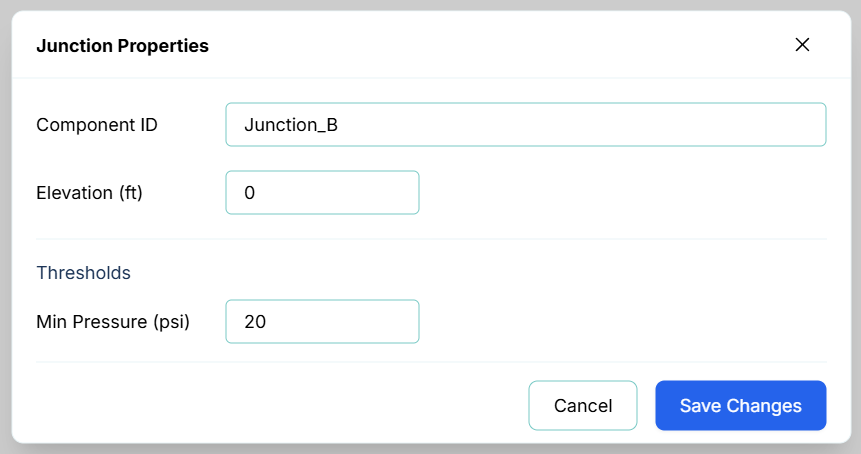
Junctions have very simple configuration requirements:
- Component ID: A unique name for the junction.
- Elevation (ft): This is the single most critical property for a junction. Because the engine solves for Total Head, the elevation must be accurate to calculate the correct gauge pressure (Total Head = Elevation + Pressure Head).
- Thresholds: You can set a Min Pressure (psi) limit. This is highly useful for ensuring your distribution network maintains adequate service pressure (e.g., standard municipal limits of 20 or 40 psi).
Live Telemetry
Left-clicking a Junction on the canvas reveals its state in the right-hand Telemetry Panel.
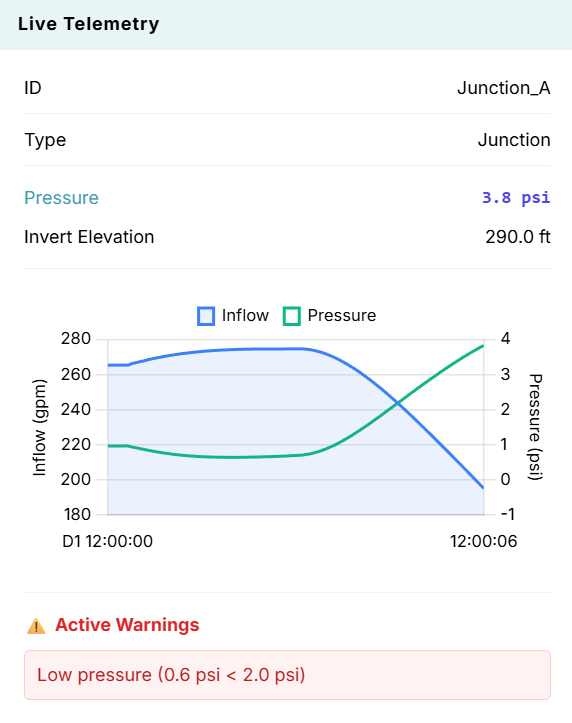
The panel is split into the following sections:
- Instantaneous Metrics: Displays the calculated real-time Pressure (psi) and the physical Invert Elevation (ft) of the junction.
- Hydraulic Chart (Inflow & Pressure): Dynamically plots the net flow (e.g., gpm) entering/leaving the junction and the local gauge pressure over time.
- Active Warnings: If the calculated pressure drops below the Min Pressure (psi) threshold you defined in the properties, a red "Low pressure" warning will trigger at the bottom of the panel. This provides immediate visual feedback if a transient event or high-demand scenario causes the system pressure to crash.